
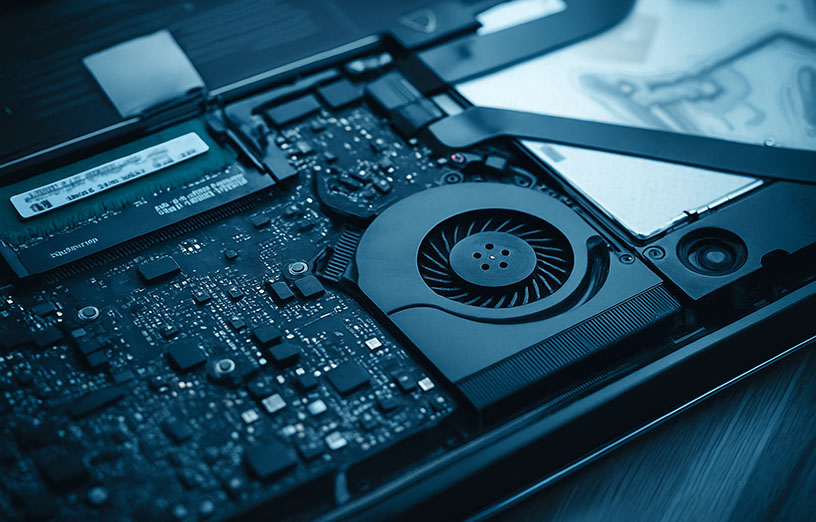
If your computer takes a long time to start, freezes, struggles with everyday tasks, or simply feels much slower than it used to, there are several possible reasons. A slow computer does not automatically mean you need to replace it.
In many cases, the right diagnosis can reveal whether the problem is related to storage, memory, software, overheating, background processes, malware, aging hardware or another issue. The best solution depends on the condition and specifications of the computer.
Common Reasons a Computer Becomes Slow
1. An Older or Failing Hard Drive
Computers that still use a traditional mechanical hard drive can feel much slower than systems using a solid-state drive. Slow startup, long loading times and delays opening programs may be related to storage performance.
2. Not Enough RAM
If the computer becomes slow when several applications, browser tabs or programs are open at the same time, limited memory may be contributing to the problem.
3. Too Many Background Programs
Applications that automatically launch with Windows can use memory, processor resources and storage activity even when you are not actively using them.
4. Overheating
Dust buildup, blocked airflow, aging thermal paste or cooling problems can cause a computer to run hotter than normal. When temperatures rise, some systems reduce performance to protect the hardware.
5. Low Storage Space
A drive that is nearly full can affect system performance and make updates, temporary files and normal system operations more difficult.
6. Malware or Unwanted Software
Malware, adware and other unwanted programs can consume system resources, create pop-ups, change browser behavior or cause general instability.
7. Aging Hardware
Sometimes the computer is simply reaching the limits of its processor, memory or other components. That does not always mean replacement is the only option, but it does make proper diagnosis more important before spending money on upgrades.
Will an SSD Make My Laptop or PC Faster?
For many computers, moving from a traditional hard drive to an SSD can make a noticeable difference in startup time, program loading and overall responsiveness. However, an SSD is not the answer to every performance problem.
If the slowdown is being caused by overheating, insufficient RAM, malware, a damaged operating system or another hardware issue, replacing the drive alone may not solve the problem. That is why diagnosis should come before replacing parts.
How Do I Know If I Need More RAM?
RAM may be worth checking if the computer works reasonably well with one program open but becomes slow when you multitask. Heavy browser use, office applications, editing software and gaming can all increase memory usage.
The right amount of RAM depends on how the computer is used and what the motherboard supports.
Can Maintenance Help a Slow Computer?
Yes, when the cause is related to dust, heat, unnecessary startup programs, software problems or general system condition. Proper maintenance can include internal cleaning, cooling inspection, software checks and performance diagnostics.
But maintenance should not be presented as a guaranteed cure. If a component is failing or the hardware is simply too limited for the software being used, a different solution may be needed.
Should I Repair, Upgrade or Replace My Computer?
The most sensible decision depends on several factors:
- The age and overall condition of the computer
- The cost of the repair or upgrade
- The current processor and hardware limitations
- Whether the computer supports useful upgrades
- How the computer is used
- Whether important data needs to be preserved or transferred
Sometimes a relatively simple repair or upgrade can extend the useful life of a computer. In other situations, replacing the machine may make more sense. A good diagnosis should help you understand the difference before you spend money.
When Should You Have the Computer Checked?
Consider professional diagnostics if the computer:
- Takes much longer than normal to start
- Freezes repeatedly
- Runs very hot or shuts down unexpectedly
- Has become significantly slower over time
- Makes unusual drive or fan noises
- Shows frequent errors or crashes
- Still feels slow after basic cleanup and updates
Computer Repair and Upgrades in Doral, Miami
At KRONSMART PC & Mac Repair, we diagnose the problem first and explain the available options clearly. Depending on the computer, that may involve software troubleshooting, maintenance, an SSD upgrade, additional RAM, cooling service or hardware repair.
Our goal is not to replace parts unnecessarily. It is to determine what actually makes sense for the computer and the customer.
Professional Repairs. Honest Service. Fair Pricing.
Frequently Asked Questions
Will an SSD make my computer faster?
Often, yes. If the computer is still using a traditional hard drive, an SSD can significantly improve startup and loading times. The overall result depends on the rest of the hardware and the actual cause of the slowdown.
How do I know if I need more RAM?
If performance drops when multiple programs or browser tabs are open, limited RAM may be part of the problem. A technician can verify current memory use and upgrade compatibility.
Why does my computer keep freezing?
Freezing can be caused by software problems, memory issues, storage problems, overheating, drivers, malware or failing hardware. Repeated freezing is a good reason to have the computer diagnosed.
Should I repair or replace a slow laptop?
It depends on the age, condition, specifications and repair cost. In many cases, a diagnosis can determine whether an upgrade is worthwhile or whether replacement is the better investment.